 COME APK
COME APK for Android: Download & COME Game Guide
Looking for the COME APK or information about COME game? This guide explains the Android app format, the game and sports sections, and the controls for settings, updates and account help. The button below opens the COME web page; saving an APK and installing it on Android are separate steps.
COME app at a glance
- App name: COME.
- File type: Android APK. An APK is an Android installation package, not an iPhone app.
- Entry: the English COME web interface, with a Download button and Login/Register entry.
- Visible sections: Explore, Casino, Fantasy, Rummy and Sports.
- App listing checked on 19 September 2026: version v1.12; listed size 3.1MB.
Check the version and size shown for the file before installing. A later release may have different details, and a listing alone is not a file-safety check.
What is COME game?
COME brings several game and sports-related areas into one interface. “COME game” can refer to that wider experience, so it helps to choose the section that matches what you want to understand.
- Explore is the starting area for browsing what the interface presents.
- Casino and Rummy are separate areas. A title or mode has its own rules; the same brand name does not make those rules interchangeable.
- Fantasy presents match cards and help entries such as How to Play and Points System.
- Sports has event categories, including Cricket, alongside separately labelled virtual content.
Available titles, events and account features can vary by location and account. Check the terms for the particular section; a category name is not a promise of availability.
Explore the COME game sections
Recognise the interface before you begin
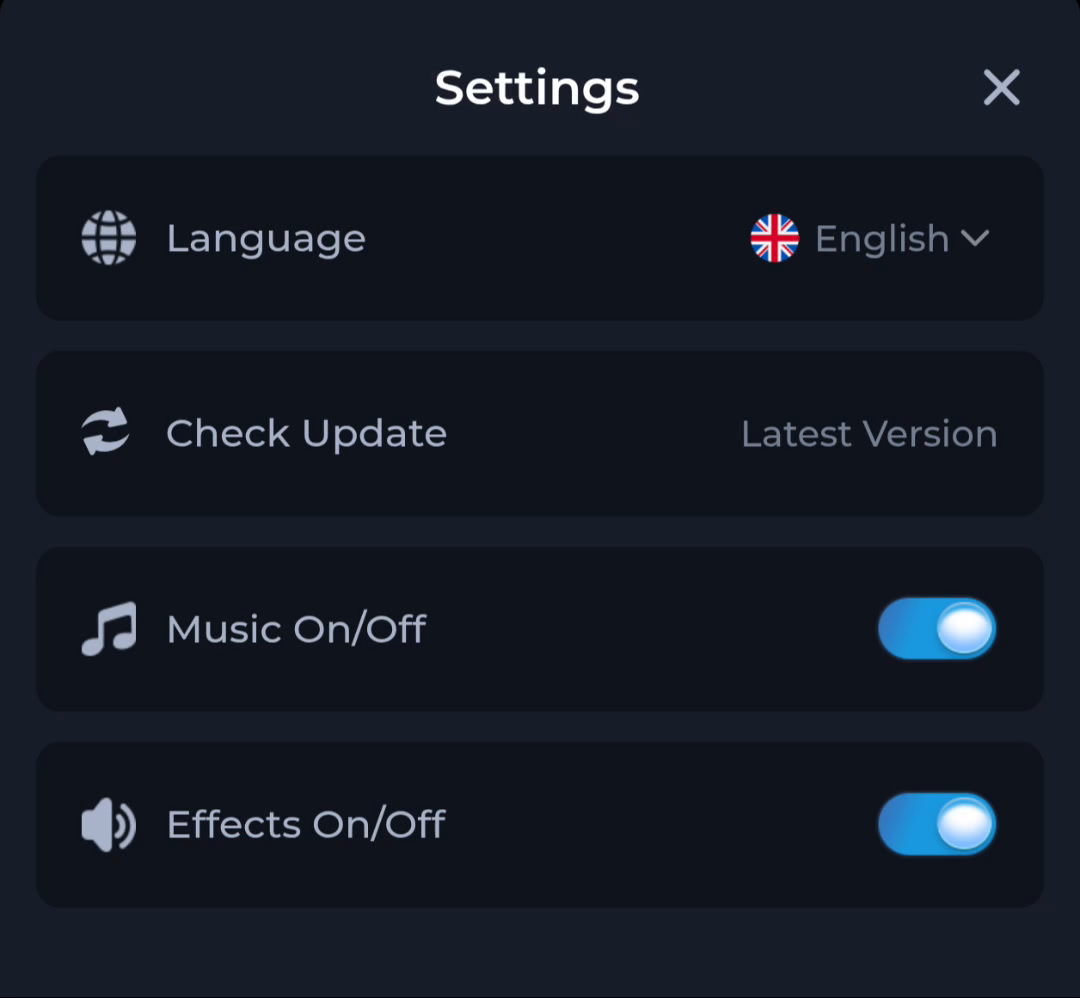
Settings groups everyday app controls in one place. The screen below shows Language, Check Update, Music and Effects. Customer Center handles questions about an existing account or a connection problem.
Language concerns interface text, while Music and Effects are separate audio controls. Check the options on your own version before changing them; the layout can differ from the example.
The General help category includes Forgot Password and Network Issue. These are useful starting points when the app opens but you cannot reach your account; downloading another copy of the APK is not automatically the solution.
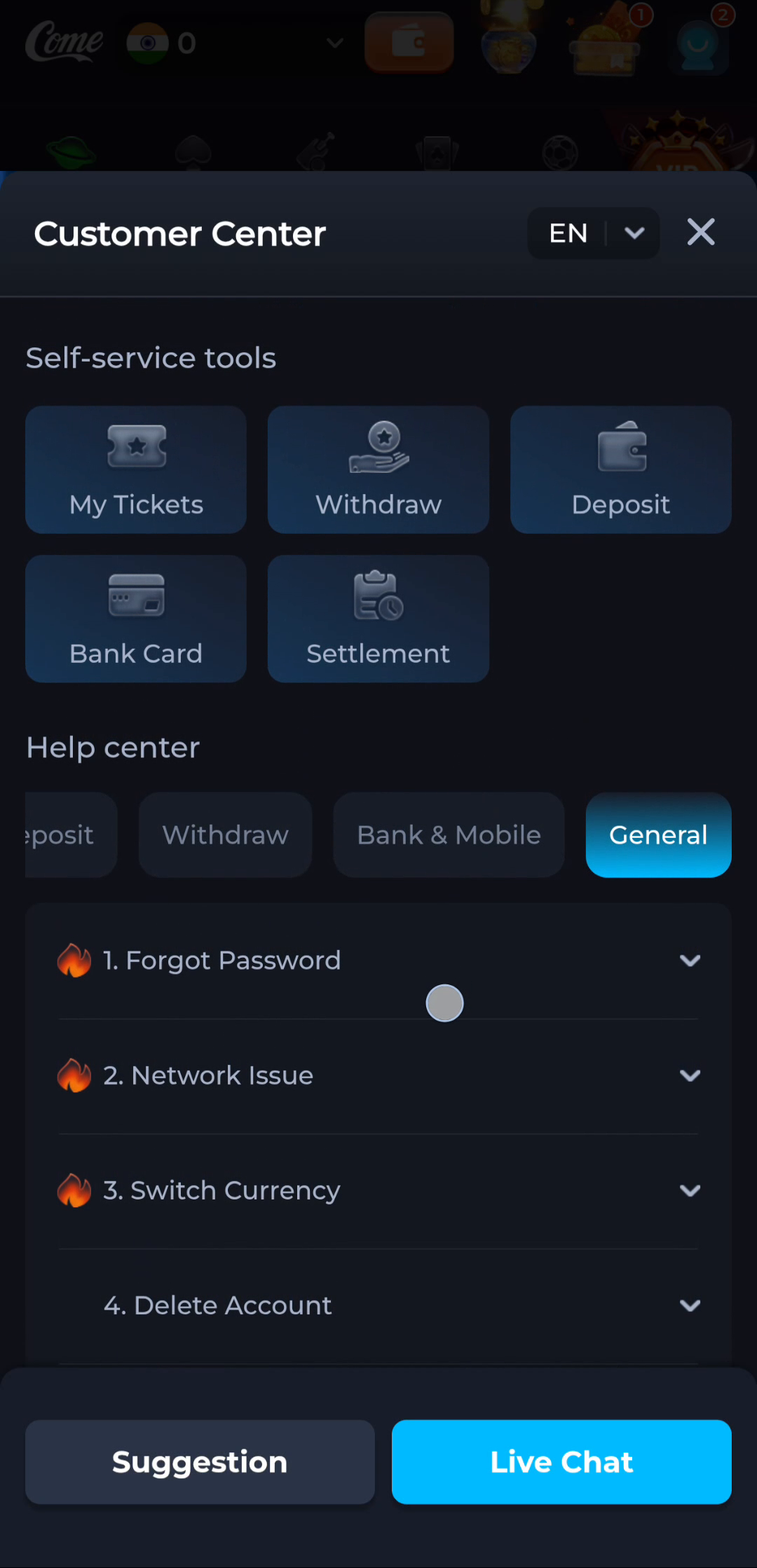
Use Settings for app preferences and update information, and Customer Center for a specific problem. If you visit the web entry, check whether you need the website or an Android file before continuing.
From download to first open
- Open the COME entry and locate its Download control.
- Review the app identity, release details and any device requirements shown before saving a file.
- Wait for the APK download to finish, then open it through Android’s normal installation flow. Keep device protection enabled and read any warning.
- Open the app after installation. Existing users should use their established account access rather than create a replacement account.
The Download page covers the full sequence. Separate guides explain a failed installation, an update and how to inspect a file before opening it.
Read the Android download steps
IPL context and practical guides
The IPL page explains runs, wickets, overs and match information. It is a cricket reading guide, not a live score or streaming service.
Choose a guide for the task in front of you: install the app, investigate an error, understand a section or read a scorecard.
Fix an APK installation problem
COME APK questions
Are COME game, COME app and COME APK the same thing?
COME is the product name. COME game describes its game-related content, while COME app refers to the application. An APK is the Android installation file; it is not a separate game mode or an iPhone release.
Does the button download an APK immediately?
No. It opens the COME web entry. Review that page and use its Download control for the next step. A web page opening is different from an APK being saved or installed.
Can I install the APK on an iPhone?
No. APK packages are for Android. Renaming a file will not make it compatible with iOS; check for a separate iOS option before trying to install anything on an iPhone.
Is v1.12 guaranteed to be the latest release?
The app listing showed v1.12 when checked on 19 September 2026. Compare the version offered at the destination with your installed version; an older listing cannot tell you whether a newer release is available.
Do I need a new account after updating?
Keep access to your existing sign-in method when updating. If you cannot sign in afterwards, use account recovery before creating another account. Do not assume that removing and reinstalling the app will preserve local data.
How are Fantasy, Sports and virtual events different?
Fantasy uses product-specific points rules, while Sports groups event information by sport. Labels such as Virtual Cricket and E-Cricket describe separate categories. Check the event type and competition name before treating a card as a real IPL fixture.
Continue to the COME entry
Use the entry below to review the current download option. If you already have the app, check your installed version and account access first.